Digital Wireless Doorbells (433.92MHz)
Core Technology
Digital doorbells use learning code technology operating at 433.92MHz frequency to prevent cross-interference.
Resetting the learning code is a common and effective way to fix a non-working wireless doorbell, as it essentially repairs both the transmitter and receiver.
🔧 How to Reset the Learning Code
The process is generally quick and involves these steps:
- 1. Put the receiver into pairing mode. This usually means pressing and holding its “music” or “Volume” button for about 5 to 10 seconds until you see a light flash or hear a sound. Some models may have a small reset pinhole that you press with a paperclip.
- 2. Press the transmitter button. With the receiver in pairing mode, press the button you want to connect. The doorbell should beep or flash to confirm it learned the new code.
- 3. Test it. Press the doorbell button to make sure the chime rings. If it works, you’re all set.
Tips: If you want to add a new transmitter to your wireless doorbell, the above learning pairing methods are also helpful.
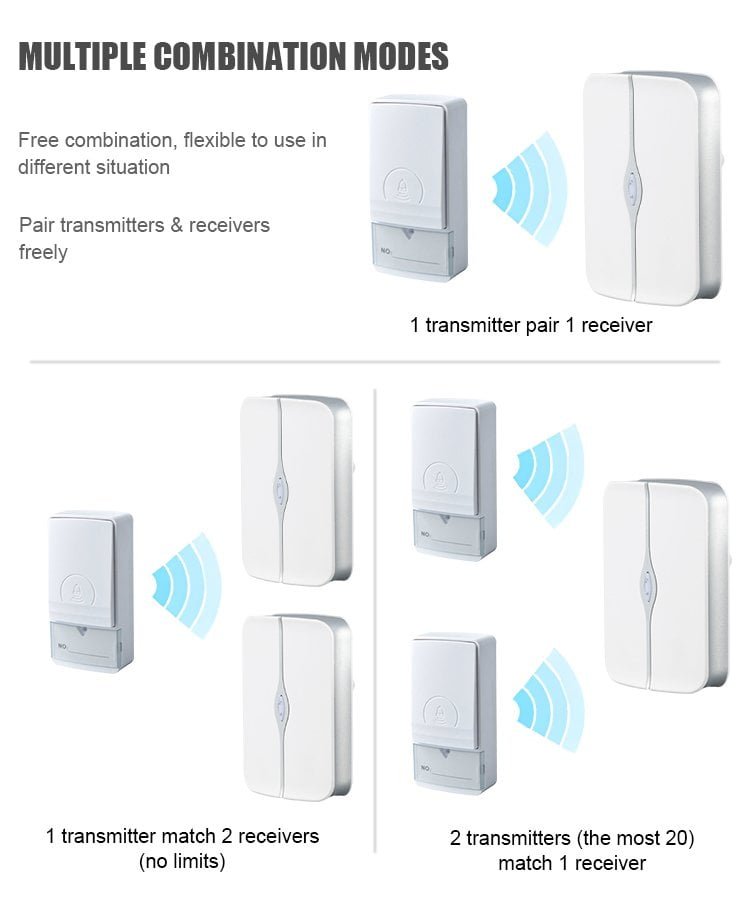
Belo’s wireless doorbell supports one-to-one, one-to-two, and one-to-multi pairing methods, and supports multi-scenario applications.
✅ Still Not Working? Try This Checklist
If the reset doesn’t fix it, work through this simple checklist. Most issues are easy to solve.
-
Check the Button’s Battery: A low or dead battery is the most common reason a wireless doorbell fails. Replacing it is the first step. The BELO’S most common types are A23 12V batteries, or standard AA/AAA batteries.
-
Check the Chime’s Power: Ensure the indoor receiver unit is plugged in securely and the outlet is working. If it runs on batteries, make sure they are fresh.
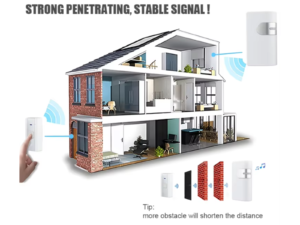
- Check the Range: Your button might be too far from the receiver. Try moving the receiver closer or pressing the button from a short distance to see if that helps.
-
Look for Interference: Other wireless devices (baby monitors, Wi-Fi routers) can interfere with the signal. Try temporarily moving the chime or router away from other electronics.
- Power Cycle: Unplug the chime from the wall and/or remove its batteries. Wait about a minute, then plug it back in or reinsert the batteries.